
Dart camera: which setup suits your game?
Live board view, a scoring app or automatic scoring: how to choose the dart camera that suits you, with tips on mounting, devices, software and internet.
Search for “dart camera” and you usually mean one of two things. Either you want to stream your board live while playing online, or you want a camera system that scores automatically on a regular steel-tip board. They solve different problems.
If you mainly want to play fair online, a simple board camera is often enough. If you just want to keep score quickly, a scoring app does the job, with or without a live view. If you’re done with counting and want stats and extra games too, go for automatic scoring. Your choice depends on your board and mounting, your devices and software, and how much installation work you want to do up front.
What a dart camera adds to your game
A dart camera streams your board live, so an opponent elsewhere can see your throws. In online matches, that’s the biggest advantage: your opponent doesn’t have to rely only on the scores you enter. That means fewer arguments.
It’s handy at home too. You can replay throws, take another look at a checkout or analyse your training sessions.
Webcam, separate camera or automatic scoring?
There’s no single right answer. Here are the three options, from simple to almost hands-free.
| Setup | Best for | What do you need? | How does scoring work? |
|---|---|---|---|
| Just a scoring app | Quickly keeping score when you play at home, alone or together | A phone, tablet or other device with a scoring app | You enter every turn yourself |
| Scoring app with live board camera | Online darts with more visibility and fair play | Often two devices, or one screen plus a separate webcam | You still enter scores yourself, but your board is visible live |
| Automatic scoring with cameras | Hands-free playing, training and building up statistics | A camera system around a regular steel-tip board, plus the matching app | The system records your throws automatically after mounting and calibration |
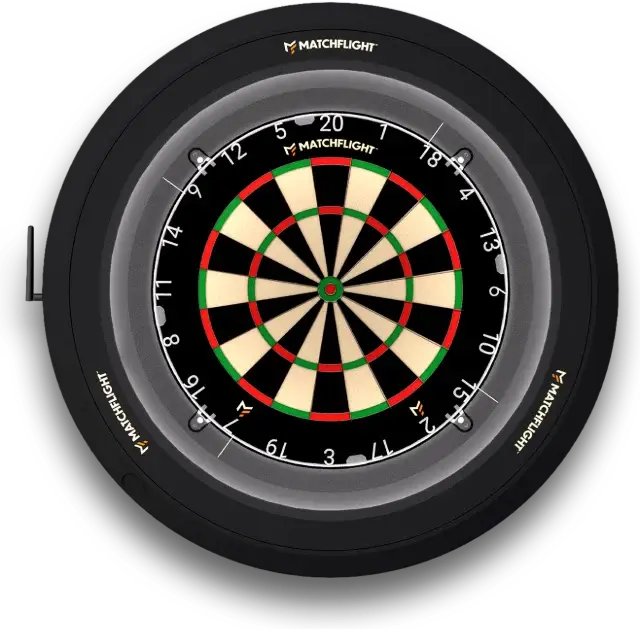
Rule of thumb: if you mainly want to play fair online, a separate darts cam is often enough. If you’re done with counting, automatic scoring is the way to go. Heylo is one such system: a ring around your own dartboard that detects every throw, with games and training in the Matchflight app.
Check your board, wall and space before you start
- Board: most solutions work with a standard, freely hanging steel-tip board with a number ring.
- Wall or stand: a solid wall is more reliable than a portable stand. Less vibration gives a more stable image and more consistent detection.
- Surround or dart cabinet: can work, but cameras and mounts need to keep a clear view of the board.
- Light ring: check beforehand whether your cameras and your light ring work together, without shadows, reflections or mounts getting in the way. Heylo has the lighting built in.
Your devices, software and internet
For online play with a camera, you often use two devices: one to start the match and keep the score, and one to film the board.
Also check whether your browser is allowed to use the camera, whether you have enough USB ports for a separate webcam, whether your internet is stable enough for a live view and whether you need an account. With an automatic system, also look at the requirements: not every system works on every phone, tablet or computer. Heylo works with the Matchflight app for iOS and Android and connects via Wi-Fi.
DartCounter with a separate camera: how to go live
For online darts with a webcam, it’s all about a stable angle, a sharp image and a board that’s fully in view. You don’t need an expensive camera.
- Device 1: start the match and go to play mode. Select the external camera option if it’s available.
- Device 2: open the camera page in the browser and allow access to the camera. Choose your separate webcam instead of the built-in camera.
- Aim and pair: position the camera so the whole board is clearly in view. Then pair both devices using the code and password shown on the match screen.
- Check: check the image, angle and lighting before you start.
- Note: don’t close the browser tab on device 2. If you do, the stream stops and your live view is gone.
Going for automatic scoring? Then calibration and stability are key
An automatic scoring system isn’t a new electronic board, but a camera system around your regular steel-tip board. Expect a one-off session of mounting, installing the app and calibrating. Getting the mounting accurate matters more than getting it done fast.
How well it works depends on stability: a spot free of vibration, a solid mounting and the right alignment. With Heylo, the mounting guide takes you through it step by step, and the app helps you calibrate.
Got questions or need advice? Get in touch, we’re happy to help.